What It Takes to Build and Deploy a Simple AI App
Building an AI application might sound like a task for a team of engineers with years of machine learning experience. In practice, the core process has become much more accessible. For someone who wants to take a practical idea and turn it into a working tool, the path involves a few clear stages: figuring out what the app should do, setting up the logic that drives it, testing whether it behaves as expected, and finally putting it where people can use it. Each stage has its own considerations, and knowing what to expect makes the whole journey far less daunting.
Start with a clear problem, not a technology
The most common mistake in AI app development training is to begin by choosing a model or a platform. A better starting point is to define a specific problem that the app will solve. For a professional who works with data, the problem might be summarising customer feedback. For someone in operations, it could be generating draft responses to common enquiries. The key is to keep the scope narrow. A simple generative AI app does not need to handle every possible input. It should do one thing well.
Once the problem is clear, the next step is to sketch the user interface. This does not require design skills. A rough idea of what the user will see and what they will type or select is enough. At this stage, the goal is to understand the flow: user input goes in, the app processes it, and a result comes back. Mapping this flow on paper or a whiteboard helps identify the pieces that will later become code or configuration.
Set up the software requirements
Every AI app depends on a few technical pieces. You need a language model or an API that provides generative capabilities. You also need a way to run the app so that users can interact with it. For a simple prototype, many developers use a cloud-based environment that handles the heavy computation. The software requirements are usually modest: a modern web browser, an account with a model provider, and a code editor or a notebook environment. Understanding these requirements before you start coding saves time later.
When you begin to build, the first task is to connect the user interface to the model. This is where the prompt logic comes in. The prompt is the instruction you give the model to shape its output. Writing a good prompt is part art and part testing. You might start with a short instruction and then refine it as you see what the model produces. For example, if the app is meant to write polite email replies, the prompt should include a tone instruction, a length limit, and a clear task description. Small changes in wording can produce very different results, so it pays to experiment.
Build the app workflow
An AI app is more than a single prompt. It has a workflow: the sequence of steps that transforms raw input into a finished output. For a simple generative app, the workflow might include checking the input for errors, adding context from a database, calling the model, and then formatting the result. Each step should be simple enough to test on its own. If you try to build the whole workflow at once, debugging becomes harder. Instead, build one step, test it, and then add the next.
During this phase, you will decide how much control the user has over the model's behaviour. Some apps let users adjust parameters like creativity or length. Others keep everything fixed. The right choice depends on the audience. A tool for internal use by colleagues may benefit from more controls. A public-facing tool usually works better with fewer knobs. The important thing is to make the app workflow transparent enough that you can see where things go wrong.
Test early and test with real inputs
Testing an AI app is different from testing a traditional application. The model does not always produce the same output for the same input, so you need to check for consistency as well as correctness. Start with a small set of test inputs that cover the range of things a user might say. Run them several times and note any outputs that are off-topic, too long, or nonsensical. This is also the time to check edge cases: empty input, very long input, input in a different language, or input that contains offensive language.
The phrase UCC appears here naturally in a sentence about the training environment. Many professionals find that working through these testing steps in a structured classroom setting, such as the one offered at UCC, gives them the confidence to handle unexpected model behaviour. The hands-on practice of debugging prompts and adjusting parameters in real time is something that is hard to replicate by reading a guide alone.
One emerging approach in rapid prototyping is vibe coding, where the developer iterates by feeling rather than by strict specification. You adjust the prompt, run a few tests, and see if the output feels right. While this can be fast, it has limits. For a production app you need more rigorous checks, but for a prototype built in a two-day course, vibe coding is a practical way to make progress quickly. The trick is to balance speed with enough structure so that you can repeat a good result.
Deploy without overcomplicating
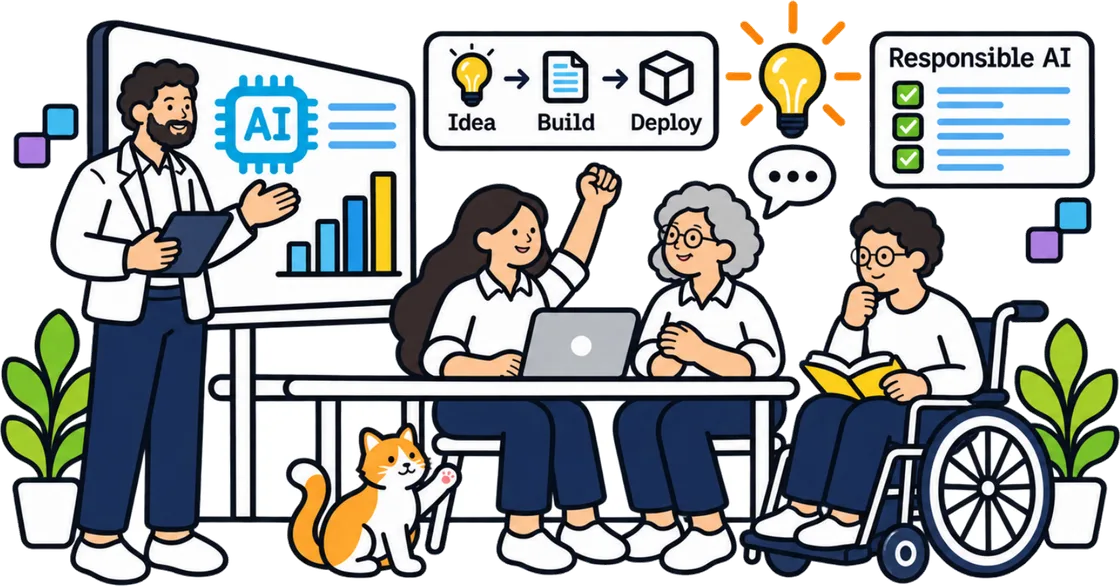
Deployment is where many promising prototypes stall. The goal is to make the app accessible without building a complex infrastructure. For a simple app, a deployment platform that runs from a single script or a container can be enough. You upload your code, set environment variables for your model API key, and the platform provides a URL. That URL is your live app.
Before you deploy, check that the app handles errors gracefully. If the model API times out, the user should see a friendly message, not a technical stack trace. If the input is invalid, the app should ask for a correction. These small touches make the difference between a prototype that feels broken and one that feels ready to use.
Once the app is live, the work is not done. You need to monitor how it performs. Log the inputs and outputs for a while, especially if real users are testing it. Look for patterns: are users typing things you did not expect? Is the model producing outputs that are too generic or too verbose? Use this feedback to refine the prompt logic and the app workflow. The first version is always a starting point.
What this means for a professional learner
For someone who works in a non-technical role but wants to build AI tools, the key takeaway is that the barrier is lower than it seems. The stages are understandable: define, build, test, deploy. Each stage has its own skills, but they are skills that can be learned in a focused training session. The phrase UCC appears here again in a sentence that underscores the practical value of such training. A course that compresses this whole cycle into two days, as some programmes like UCC do, forces you to make decisions quickly and to see the consequences of those decisions before you move on.

That compression is valuable because it mirrors the pace of real projects. You do not have the luxury of spending weeks perfecting a prompt. You have to ship something that works, gather feedback, and improve it. Learning to do that in a structured way is the real outcome of AI app development training. It shifts the focus from theory to practice, from planning to building, and from perfection to iteration.
The field moves quickly, but the basic shape of the work remains the same. Understanding the stages and having practised them once gives you a foundation that is independent of any particular tool or model. Whether you are building a prototype for your own team or a simple tool for external users, the same cycle applies. The confidence to start comes from knowing that you can handle each stage as it comes.